Build routines,step by step
One step at a time, at your own pace.
A timer app for movingthrough your routine,one step at a time
For getting ready, study, work, chores, and exercise.Set a time for each step and focus on what comes next.
Free to use
No account required

Available on the App Store.
What Rilmio helps you do
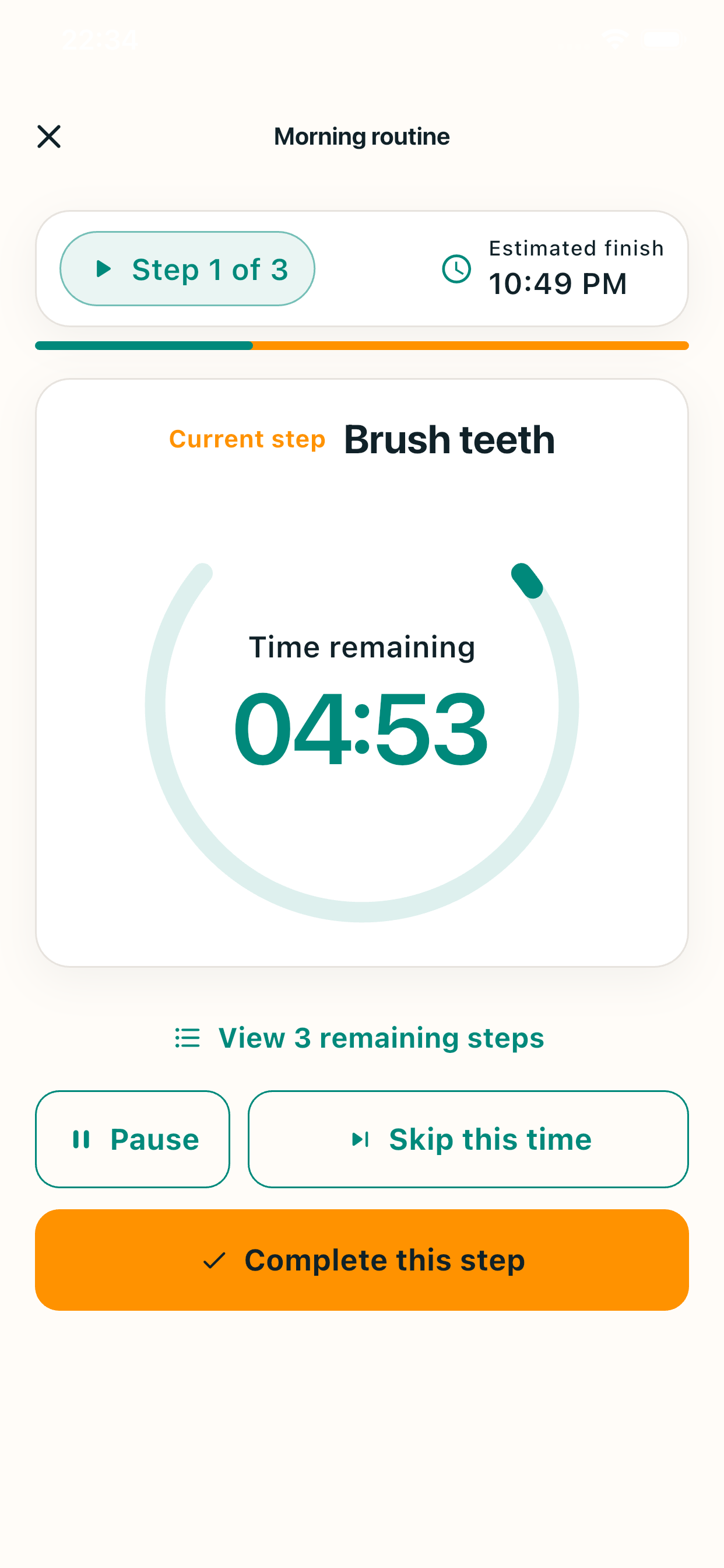
Set a time for each stepand focus one at a time
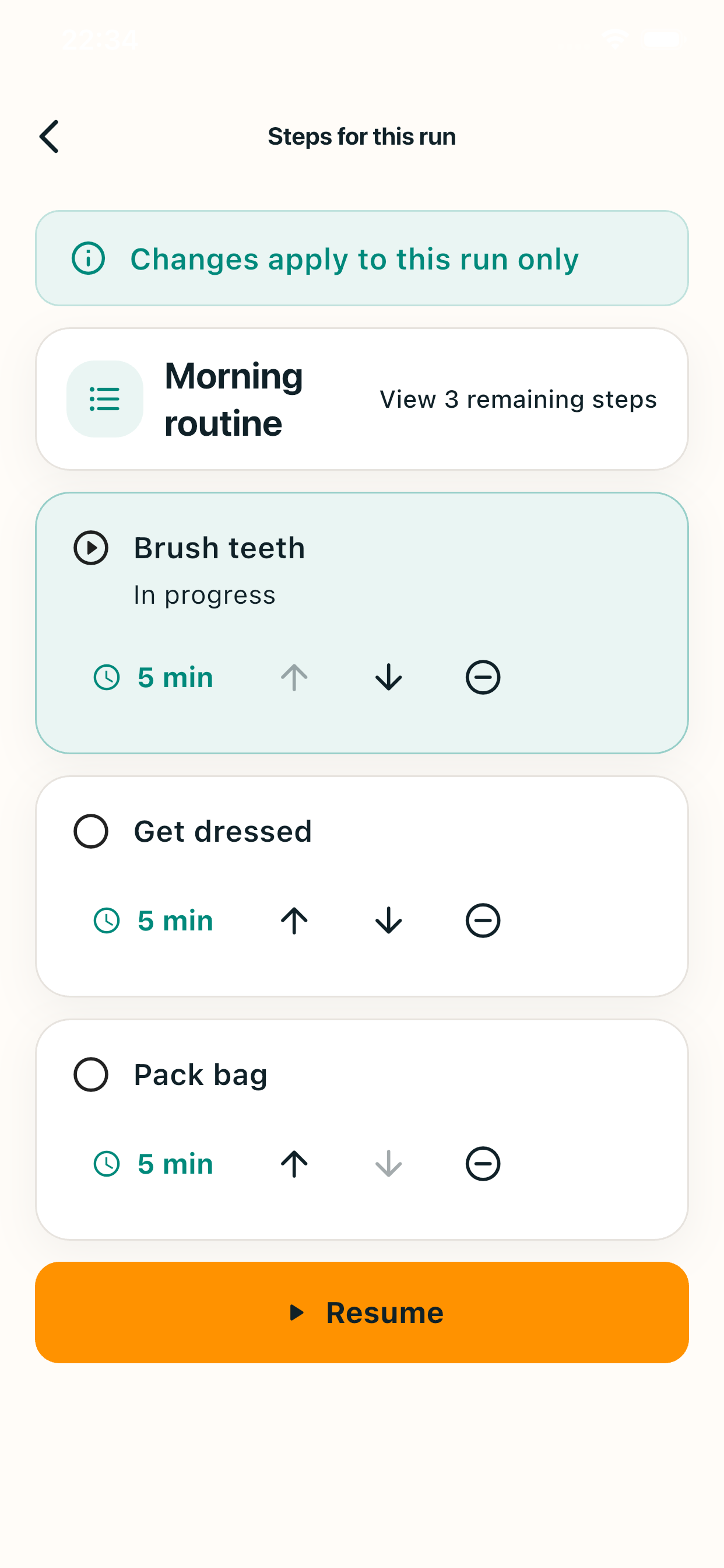
Adjust this runwhile it’s in progress
Pause, then pick upwhere you left off
Restore a run afterclosing the app
Plans change. Your routine can, too.
Stay on trackwhen plans change
If your plans or energy change, adjust only the steps you have not started yet.
Changes are for this run only. Your saved routine stays as it is.
Change time for unstarted steps
Change the time for an unstarted step in this run.
Reorder unstarted steps
Reorder unstarted steps to fit your plans today.
Skip this time
Skip a step for this run only.
Undo a change
Undo the last change you made.
Confirm before skipping
Confirm before skipping a required step.
Keep your saved routine
Your saved routine does not change.
A timer that doesn’t rush you.
It never moves onwithout you
When the timer reaches zero, Rilmio does not move to the next step automatically. It shows overtime while you continue the current step.
Move on when you feel the step is done.
Getting started is simple.
Get started in four steps
 1
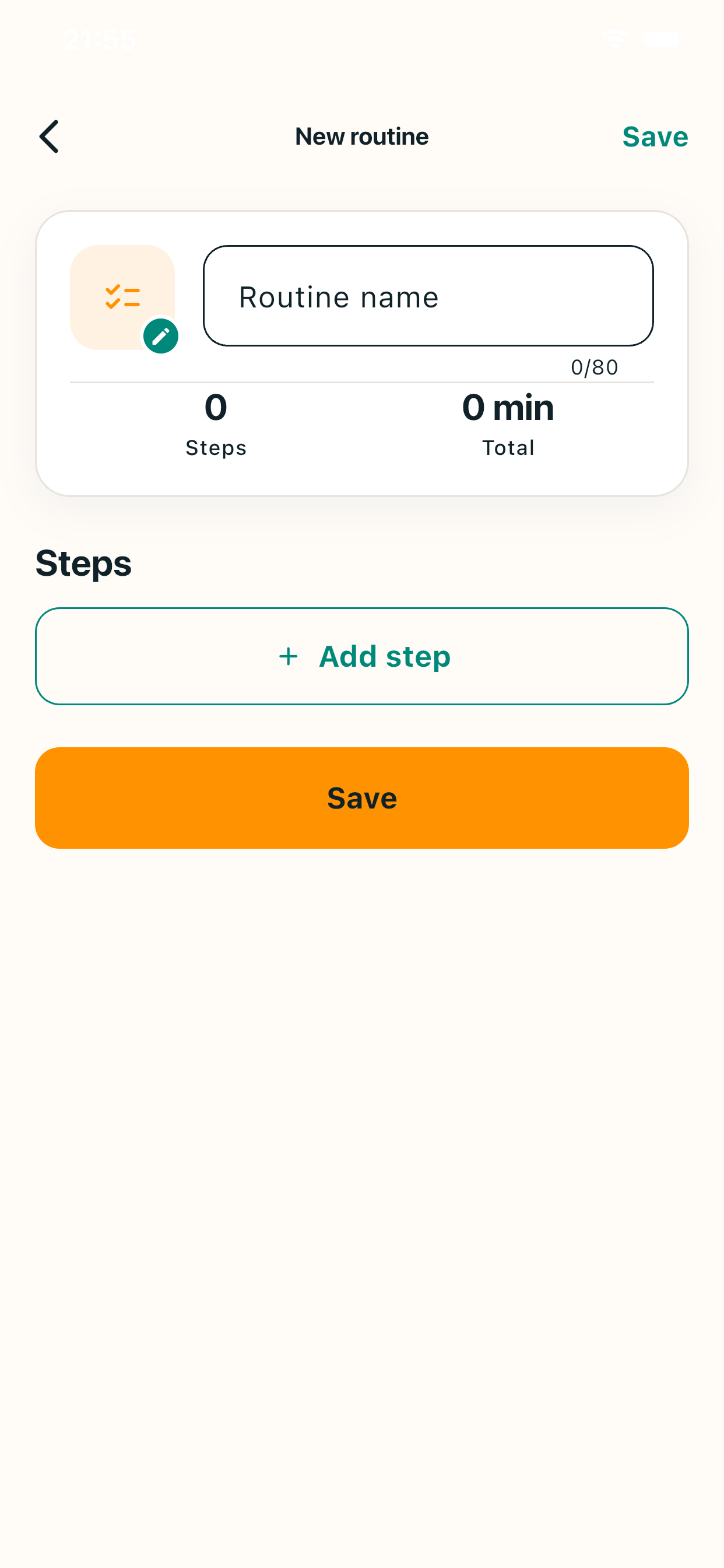
1Create your routine
 2
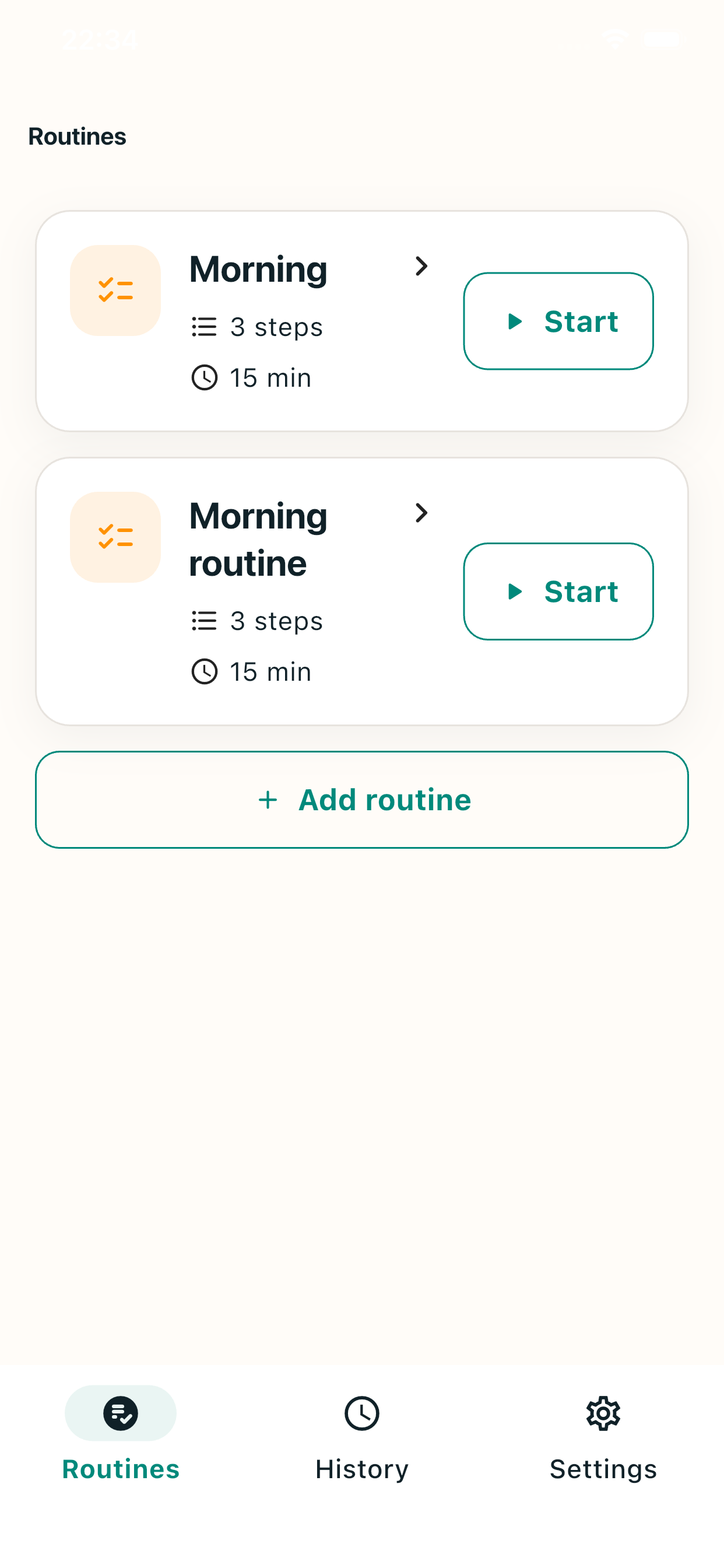
2Choose and start a routine
- 3
Focus on the current step
- 4
Adjust this runwhen plans change
Made for everyday routines.
Use Rilmio for every part of your day
Morning
Study
Work
Chores
Workout
Night
Pick up where you left off.
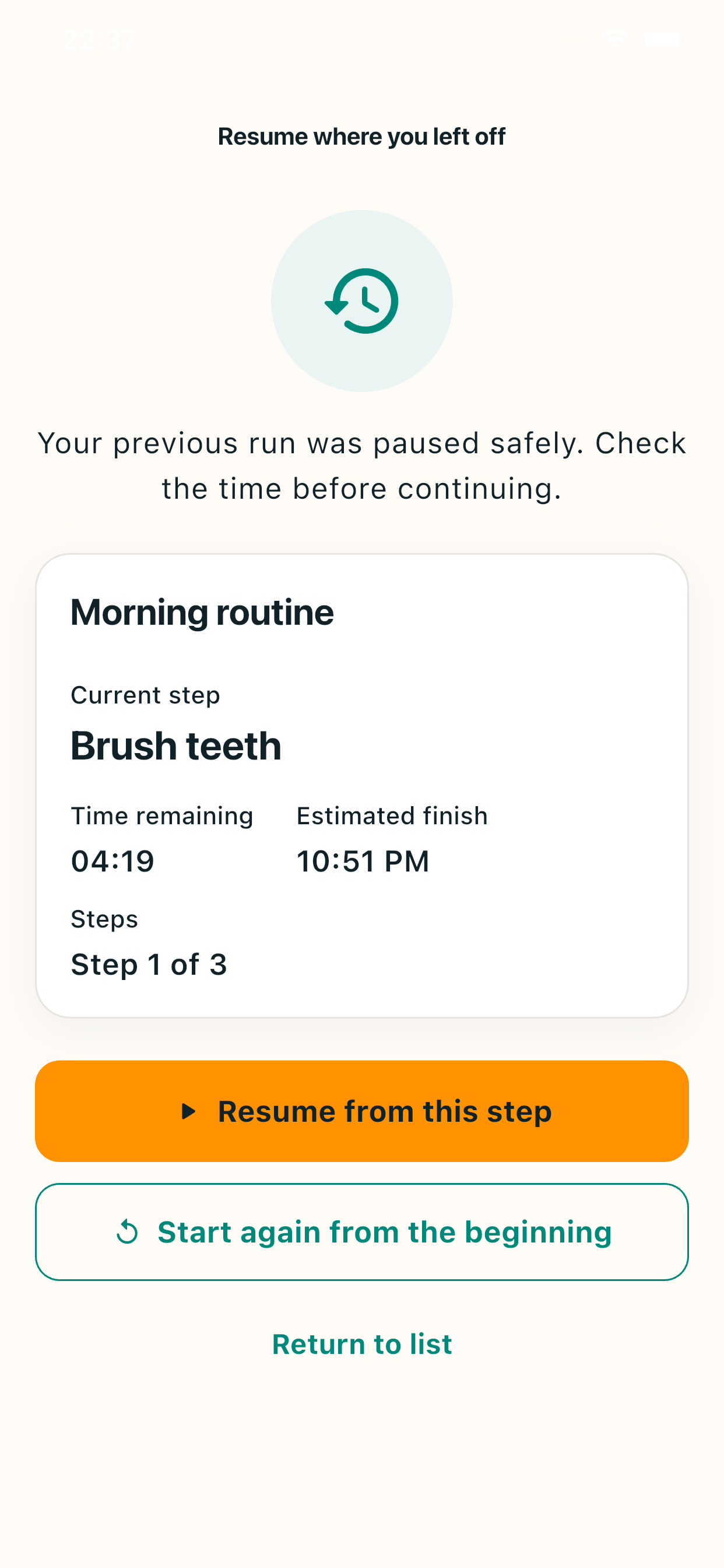
Resume a routine
If you close the app or restart your device, you can restore the session that was in progress.
Check the current step and time remaining, then choose whether to continue or start again.
Look back on today’s results.
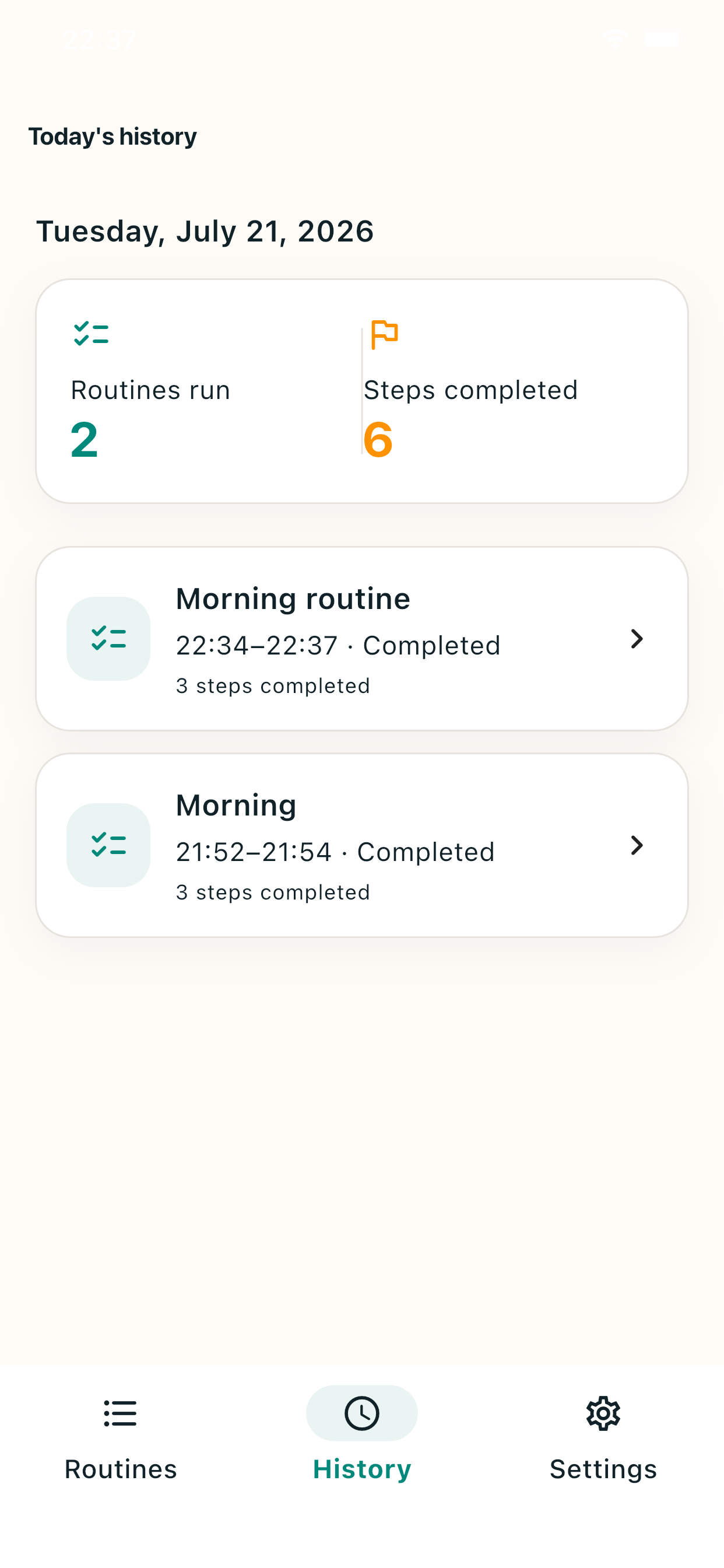
History
See the completion time, routine name, and result for each run.
A quiet way to look back on what you did and move into your next routine.
Frequently asked questions
About Rilmio
Is Rilmio free?
Yes. Rilmio is free to use.
Do I need to create an account?
No. You can start using Rilmio without creating an account.
What is a routine timer?
It is a timer for setting up several steps and planned durations, then moving through them one at a time.
Can I change a step’s time while a routine is running?
Yes. You can change unstarted steps for the current run only. Your saved routine is not affected.
Can I change the order of steps?
Yes. You can reorder steps that have not started yet for the current run only.
Does it move to the next step automatically when time is up?
No. Overtime is shown after the planned time, and you stay on the current step until you complete it.
Can I resume after closing the app?
Yes. You can restore a session that was in progress and continue from where you left off.
Can I use it without allowing notifications?
Yes. You can use the timer without allowing notifications.
Where is my data stored?
Routines and history are stored on your device. Data may not carry over when you change devices or reinstall the app.
Start with Rilmio
Start your routine today
Rilmio is free and ready when you are.