On your way home,
check what family needs.
Choose the Family label
to find that shopping request again.
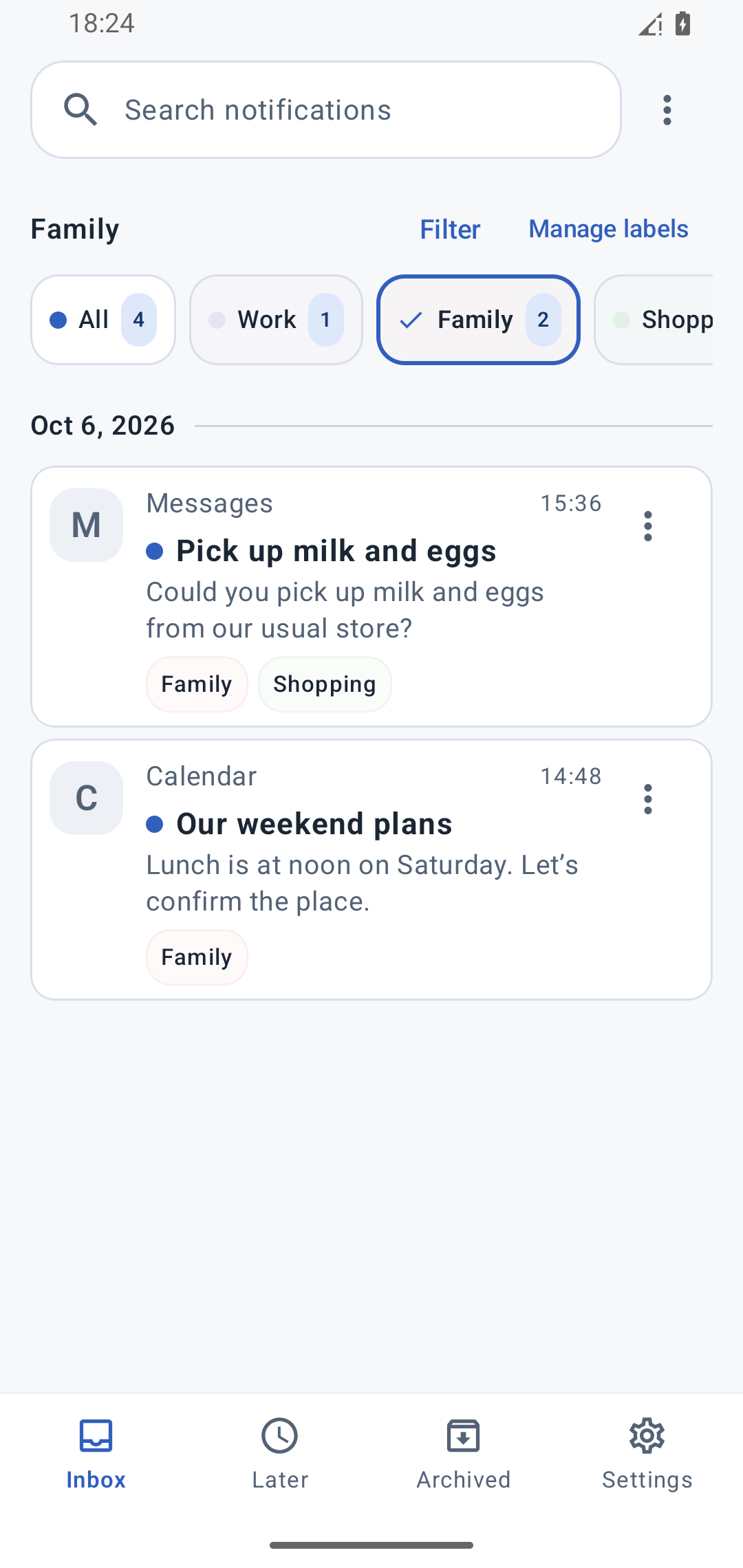
- It arrives
- Filter Family
- Check the request
 NotifyPost
Language
Work updates. Shopping requests. Everyday reminders.
Save notifications from the apps you choose. Sort them with labels and come back to them later.
All features free · Android 12+
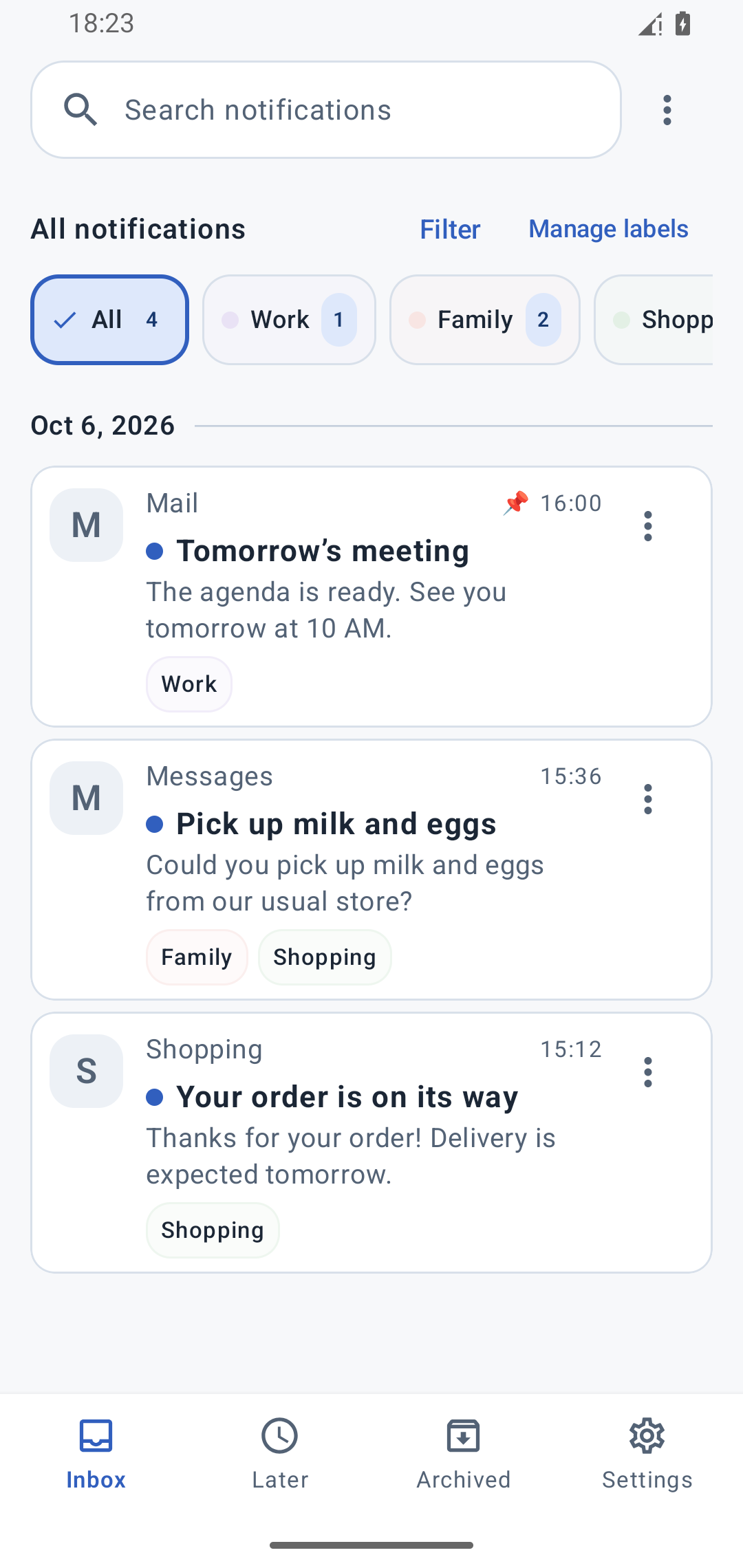
From the apps
you choose
Work, family,
and shopping
Choose when
to revisit it
Save notifications from selected apps
Filter with labels to see what you need
Come back later, or find it with search
Make everyday notifications useful, on your own schedule.
Choose the Family label
to find that shopping request again.
Save a bill notification in Later
and choose when to revisit it.
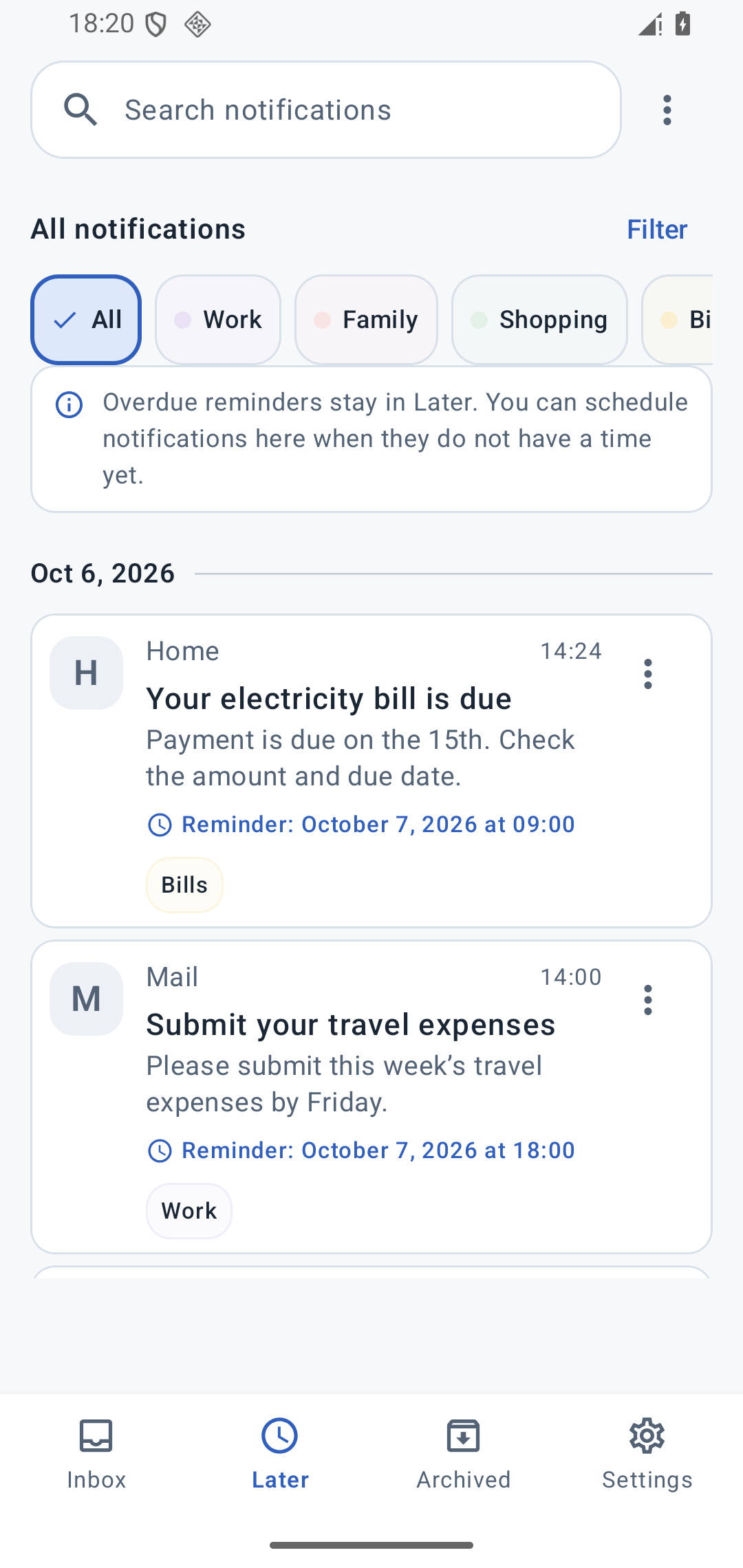
Screens show sample notifications. Reminders must be enabled and may be delayed by battery-saving settings or other device restrictions.
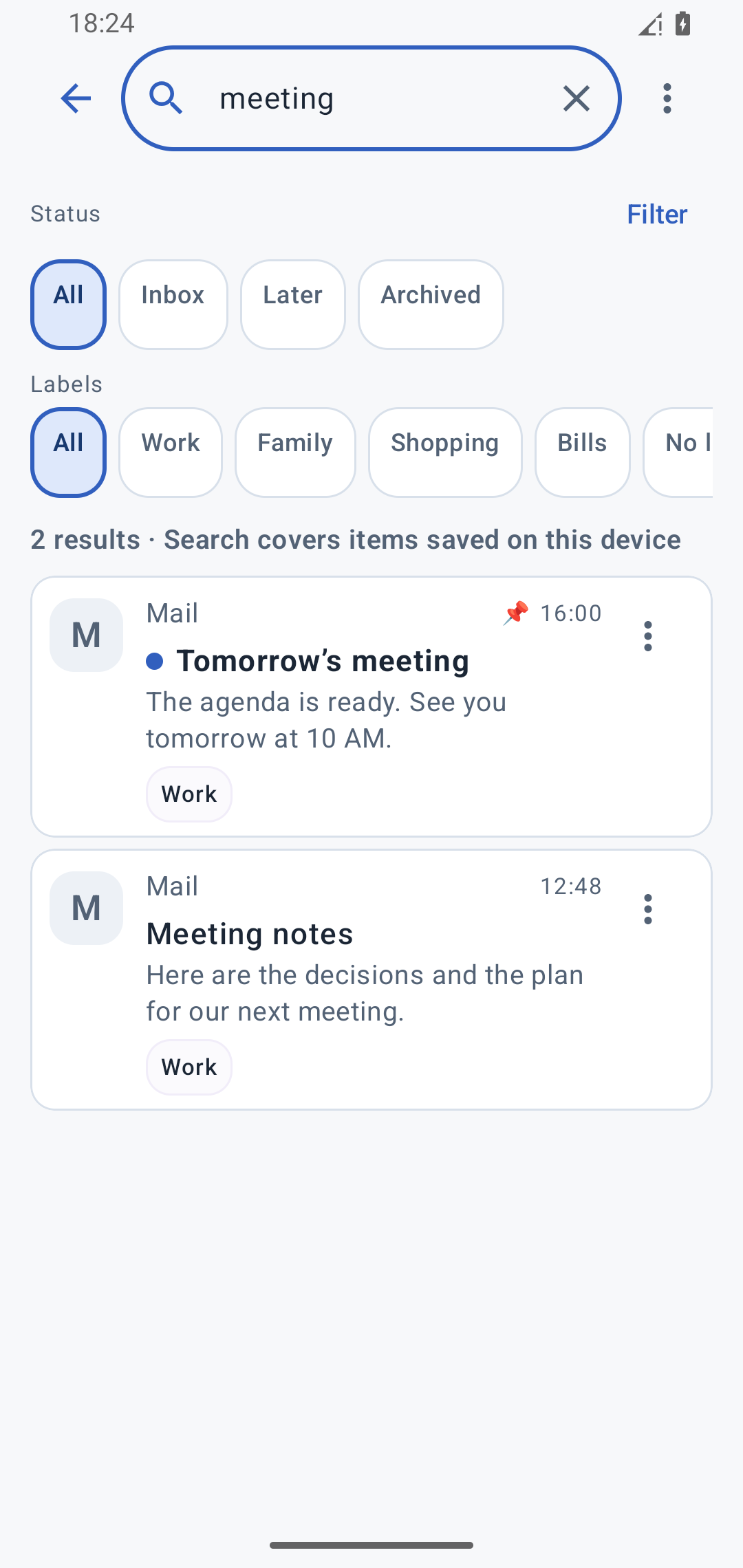
Search for a word like “meeting”.
Search saved notifications by title, text, or your own notes.
Filter by app, date, or label, too.
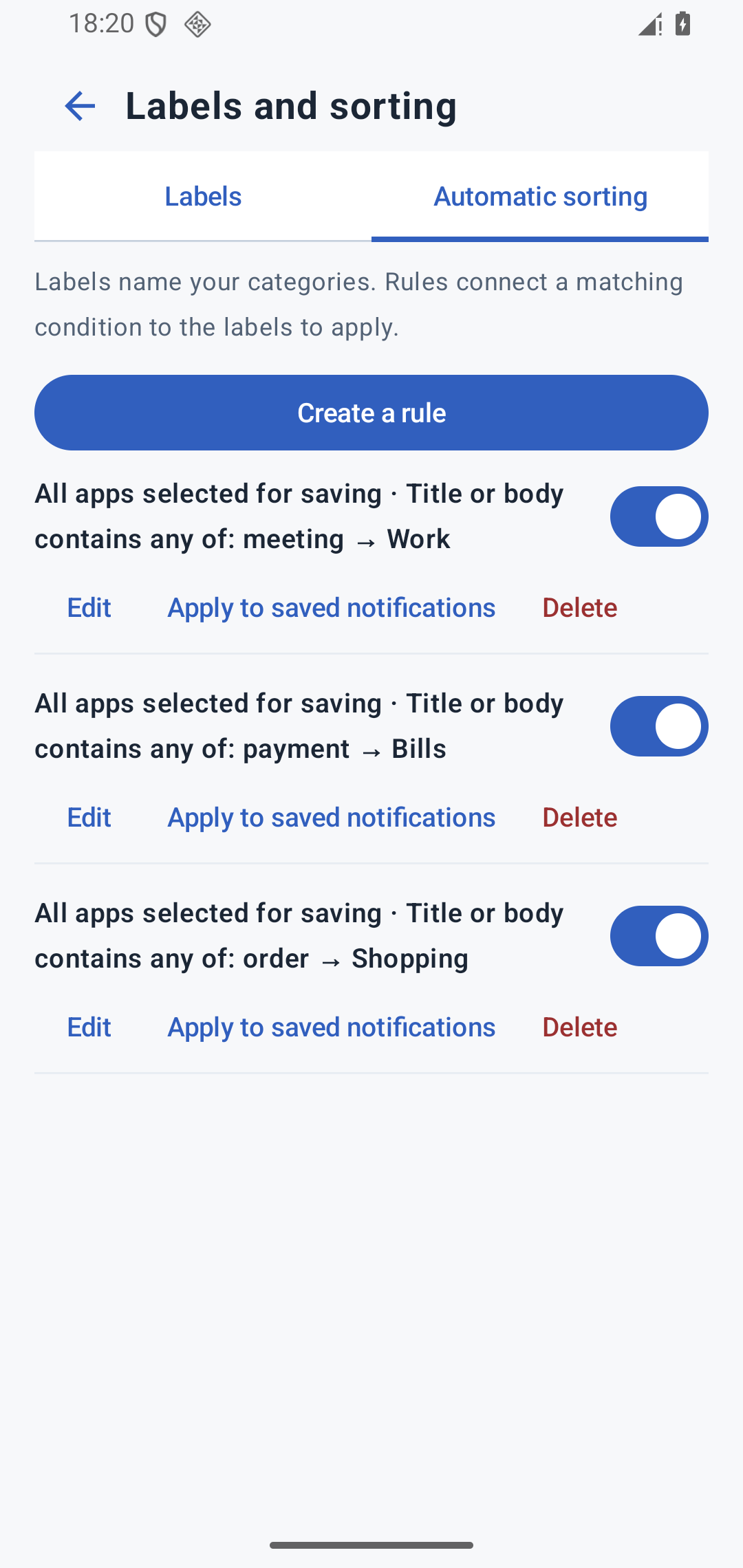
Automatically label new notifications that match an app or keyword.
Keep your next step with the notification.
Clear your inbox. Find it again with search.
Saving, searching, and sorting happen on your device.
Notification content, notes, and labels are not sent to or stored on our servers.
Choose which apps to save and how long to keep their notifications.
Saving applies to notifications captured after it is enabled. Notifications dismissed before saving started cannot be recovered.
Yes, if NotifyPost captured and saved them after saving was enabled. You can revisit those notifications even after dismissing them from Android’s notification panel. Notifications dismissed before saving started cannot be recovered. Android may prevent the app from capturing the content of some protected notifications.
Notification content, notes, and labels are stored on your device and are not sent to or stored on our servers. If you export your history, a file is created in the location you choose. An optional viewing lock protects access using biometrics or your device’s screen lock. This lock does not encrypt the stored data.
Choose a date and time, then enable a reminder to be notified when it is time to revisit the item. Notification permission is required. Battery-saving settings and other device restrictions may delay the reminder.
No. Reading or organizing a notification in NotifyPost does not change its read status in the original app.
All features are free to use. NotifyPost requires Android 12 or later.
All features free · Android 12+